A mini PC saves space but does not automatically offer the expansion options of a large desktop. Used examples are particularly likely to be offered with different specifications. Establish what is actually installed and which later additions are supported before comparing an attractive base price with a system that is immediately usable.
Distinguish a complete system from a barebone
Check the model identifier and equipment explicitly included. Some offers contain memory, storage and an operating system; others provide a base to complete yourself. The exterior can look identical. Request an actual component list instead of reading mini PC as a promise of a complete configured computer.
Match the stated equipment with the model. ASUS, for example, lists different memory and storage configurations for various PN models. These examples illustrate why the exact version matters; they do not promise the same features on every compact computer. A previously upgraded example may also differ from its original retail configuration.
Plan expansion using the documentation
Find the appropriate technical information for RAM, drive formats and supported interfaces. An empty space does not mean every component will fit. Height, length, memory standard and necessary mounting parts can matter. Also check whether the existing slots are already occupied rather than counting only the maximum listed capacity.
For planned additions, ask about missing cables, brackets and screws. Small specialist parts can delay an apparently simple installation. Open the device only under suitable conditions and according to its intended service instructions. If you lack experience, include professional fitting in the decision rather than assuming the advertised upgrade will be effortless.
Consider the workstation and cooling
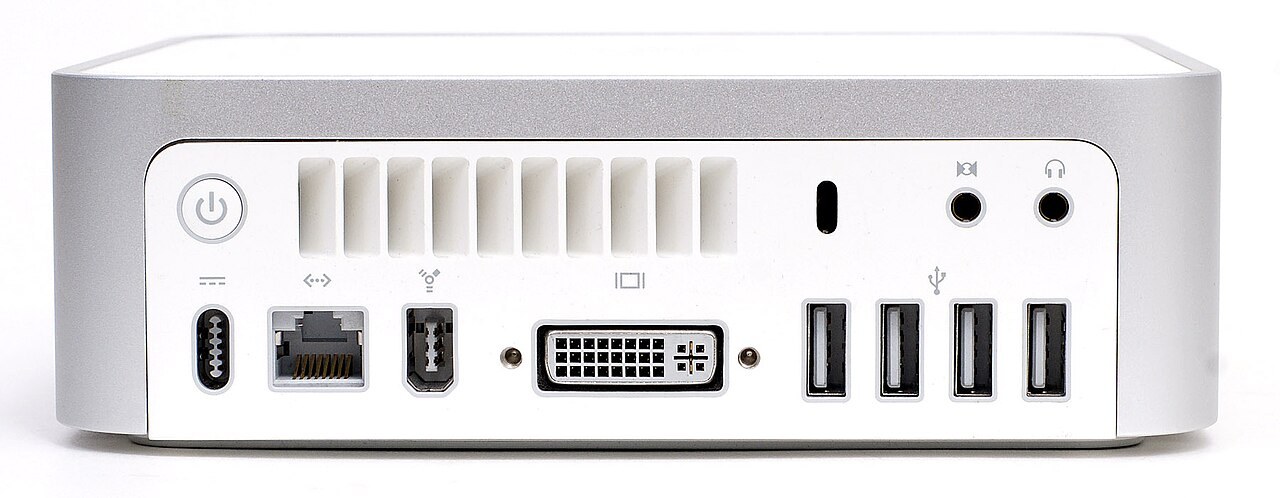
Check the ports you actually need: number and type of video outputs, network, audio and USB. Similar-looking sockets do not all support the same combinations. Try an ordinary working scenario with your intended peripherals where those are available for the inspection, rather than only checking a startup screen.
Confirm the appropriate power supply and clear ventilation paths. Mounting behind a display requires suitable hardware and must not block cooling. For unusual noises or shutdowns, record the conditions instead of replacing parts without diagnosis. Finally compare usable complete systems, including additions, operating system and installation effort, rather than comparing incomplete base prices as if their contents were identical.
Common questions
Can every mini PC be upgraded later?
No. Options and access differ by model. Use the correct documentation and the equipment actually present.
Does an empty M.2 slot allow any SSD?
No. Length, interface and further model requirements must match. Physical form alone is not a complete compatibility specification.